
Introduction to Python
✕1. What is Programming Language?
- Imagine you have a friend who only speaks Spanish. You want to tell your friend: Please go to the market and buy some fruits. If you speak only English, your friend may not understand you. To communicate, you need to use a language that your friend understands — Spanish.
1.1 Real World Scenario:
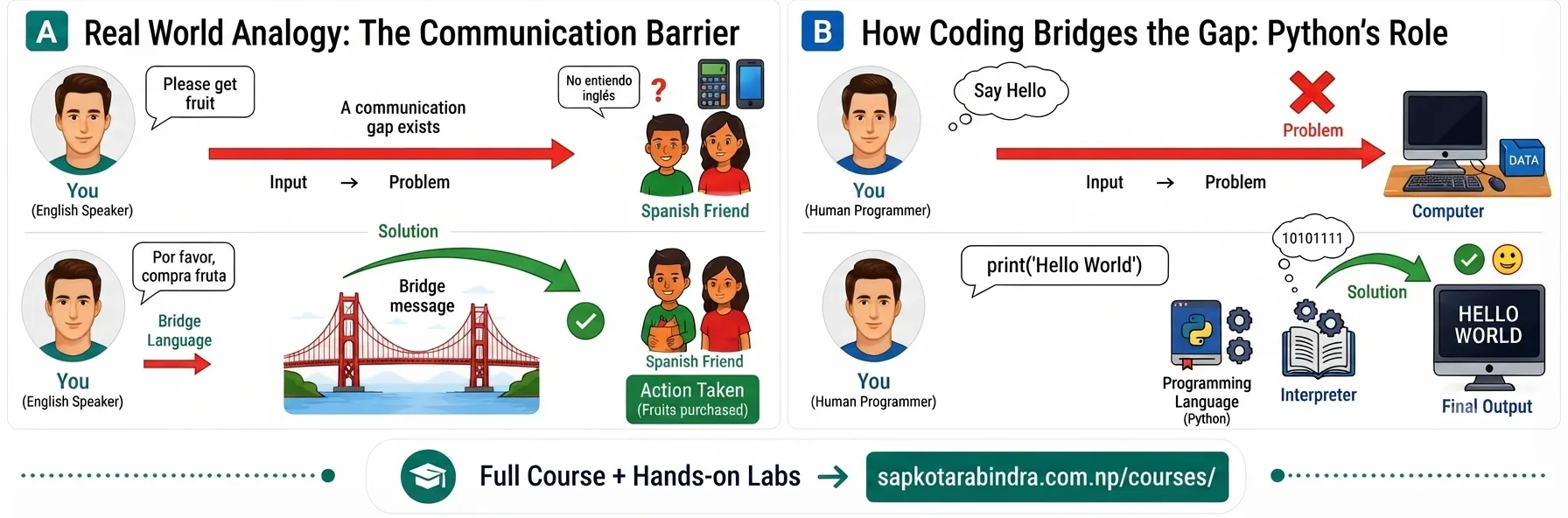
- Computers are like that Spanish-speaking friend. They do not understand English or your language directly. A computer understands only Machine Language, which consists of binary digits: 0 and 1. However, writing instructions using only 0s and 1s is very difficult for humans. Therefore, we use Programming Languages as a bridge between humans and computers. Programming languages help us write instructions in a human-friendly way, which are then translated into machine language for the computer to understand. 👦 → 💬 English → ❌💻 👦 → 🐍 Python → ✅💻 Some popular programming languages are Python, Java, C, JavaScript, etc.
- A programming language is a set of instructions and rules used to create computer programs and communicate with a computer to perform specific tasks.
Example
Python Code:
print("Hello All")Output: Hello All Here, theprint()function tells the computer to display the given message on the screen.
1.2 How Does This Relate to Computers?
1.3 Definition
2. Why Python?
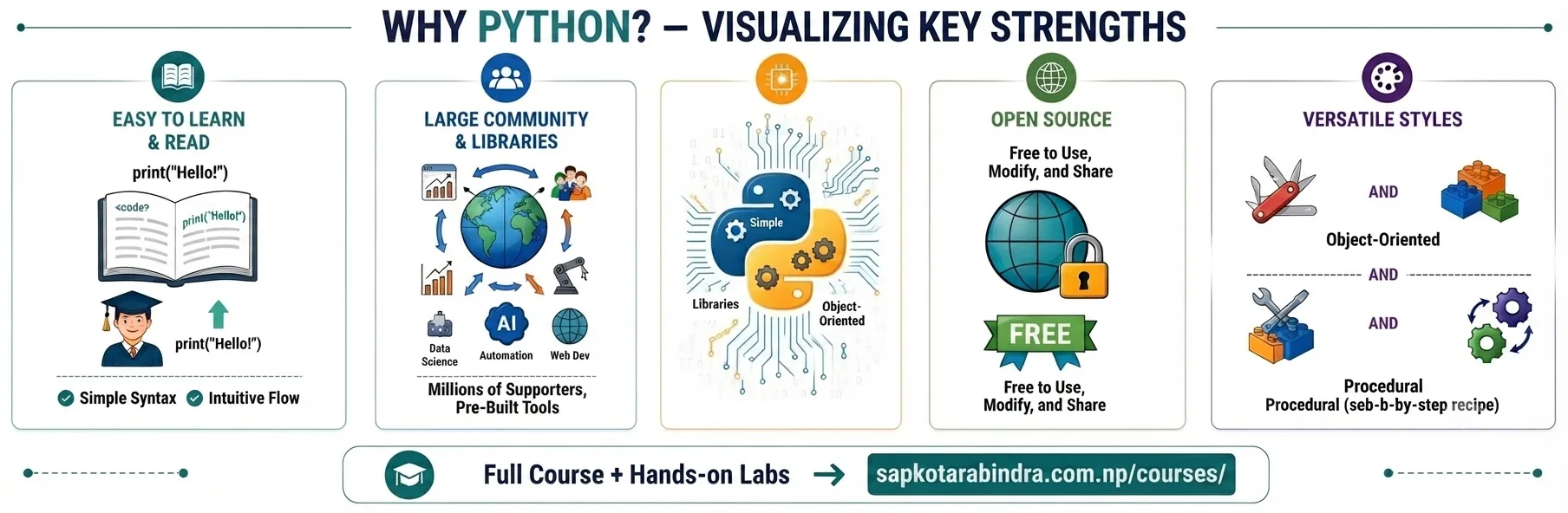
- 😊 Easy to Learn and Read: Python has a simple syntax that is easy to read and write.
- 🆓 Open Source: Python is free to use, and anyone can download, study, and modify it.
- 👥 Large Community and Libraries: Python has a large community of developers around the world. It also provides many libraries (pre-written code) that help programmers perform tasks more quickly and easily.
- 🔄 Flexible Styles: Python lets you write code step-by-step (like a recipe) or organize it into reusable "objects" (like building blocks). Beginners don't need to worry about this yet — Python allows both.
- Multiple Usages: Widely used in various fields such as: - 📊 Data Science - 🤖 Artificial Intelligence - 🌐 Web Development - 🔧 Automation - 🎮 Game Development
3. IDE (Integrated Development Environment)
- Imagine you have learned Spanish and now want to ask your Spanish-speaking friend to buy some fruits. Knowing the language alone is not enough. You also need a way to communicate with your friend, such as: Writing a Letter, Sending a Text Message, Making a Phone Call. These methods act as a medium of communication. Similarly, even after learning a programming language like Python, we need a tool to write, edit, and execute our instructions for the computer. These tools are called Integrated Development Environments (IDEs). Popular IDEs: Visual Studio Code (VS Code), PyCharm, Jupyter Notebook, Google Colab, etc
3.1 Real World Scenario:
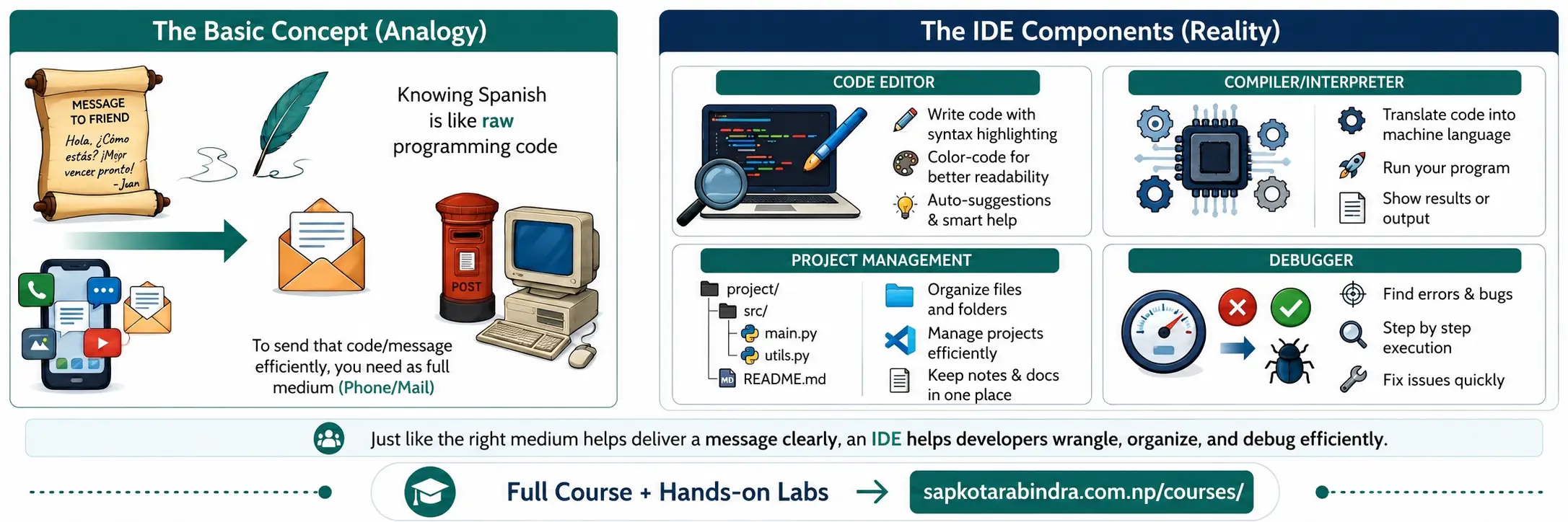
- An Integrated Development Environment (IDE) is a software application that provides tools for writing, editing, running, and debugging computer programs.
- 📝 Write and edit code
- ▶️ Run programs
- 🐛 Find and fix mistakes in your code (this is called "Debugging")
- 🎨 Highlight code for better readability (Syntax Highlighting)
- 📂 Manage and organize projects
3.2 Definition
3.3 What Can an IDE Do?
4. Connecting Concepts
| Real World | Programming |
|---|---|
| 🇪🇸 Spanish Language | 🐍 Python Language |
| 👦 Spanish Speaking Friend | 💻 Computer |
| ☎️ Letter / Text Message / Phone | 🛠️ IDE |
| 💬 Message | 📜 Program / Code |
Connecting Real World Concepts to Programming Concepts
5. Installation and Setup
- Before you start writing code, install Python and an IDE on your computer. See the Python and VS Code Installation Setup Guide for step-by-step installation instructions.
6. Google Colab
- Google Colab is a free online coding platform that allows you to write and run Python code directly from your web browser. It is based on Jupyter Notebook and requires no installation. Code written here will be saved in Google Drive automatically.
6.1 What is Google Colab?
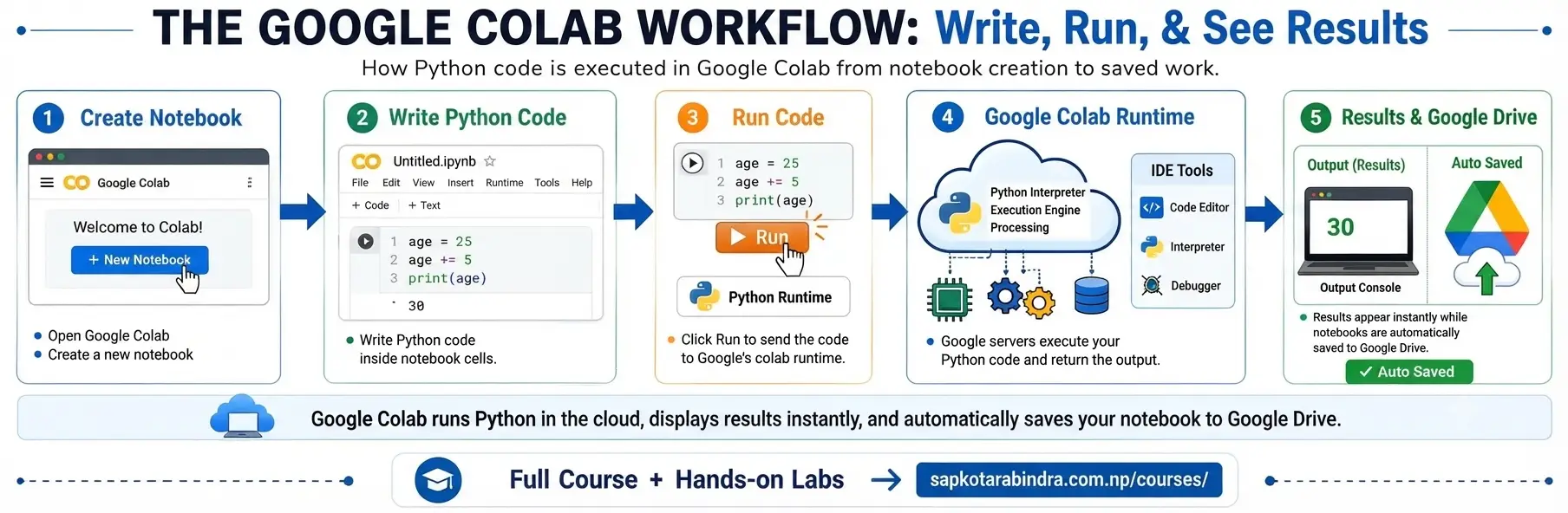
- Open Google Colab in browser
- Click + New Notebook on bottom left to create new file with meaningful name
- Add code cells using + Code button from top bar
- Write Python code in cells
- Click ▶️ Run or press Shift + Enter
6.2 How to use Google Colab?
7. Sample Codes
print("Hello, World!")# ➜ "Hello, World!"print(2 + 3)# ➜ 5print("Hi" + " " + "There")# ➜ "Hi There"age = 25 new_age = age + 5 print(new_age)# ➜ 30- Write a code to calculate density of object with mass 2400kg and volume 1200 m3.
mass = 2400volume = 1200density = mass / volumeprint(density)# ➜ 2.0 - Note: Your file should be saved with .py or .ipynb extension to run in VS Code or any other IDE.