
Variables and Data Types
✕1. Variables
- Imagine you have different containers: 📦 Box labeled Books 👕 Box labeled Clothes 🍎 Basket labeled Fruits Each container stores something and has a name so that you can find it later. Similarly, a Variable is a named container used to store data in a computer's memory for later use. 📦 name ➜ "Rabindra" 📦 age ➜ 25 📦 PI ➜ 3.14159
1.1 Real World Scenario
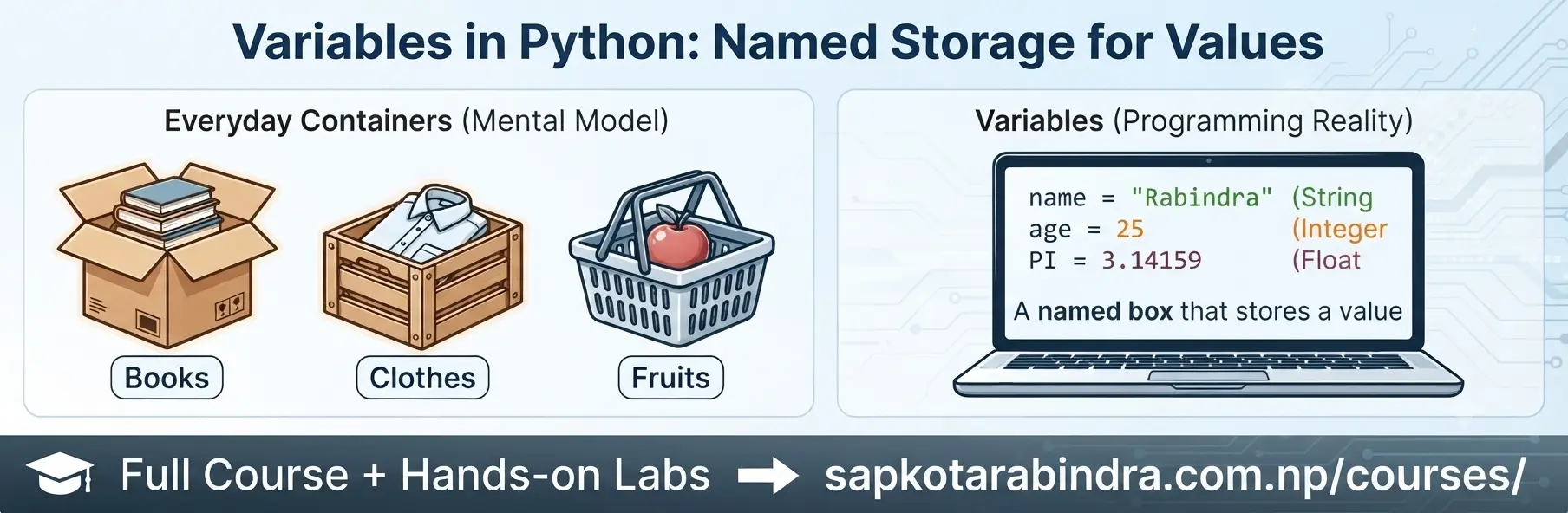
- A variable is a named storage location used to store data values that can be used or modified later in a program.
- ✅ Created by assigning a value to a name ✅ Can be reassigned to different values later ✅ Used to store information for future use ✅ Makes programs easier to understand and maintain
x = 5name = "Rabindra"PI = 3.14159is_student = Truecolors = ["red", "blue"]- Sometimes we have values that should not change throughout a program. These values are called Constants.
Examples:
PI = 3.14159FULL_MARKS = 100📌 Constants are usually written in UPPERCASE letters.
1.2 Definition
1.3 Key Points
1.4 Examples:
1.5 Constants

2. Variable Naming Conventions
- ✅ Should have meaningful names. ✅ Can contain letters (a-z, A-Z), digits (0-9), and underscores (_). ✅ Must start with a letter or underscore (_). ✅ Variable name is case-sensitive. ✅ snake_case is preferred — this means writing variable names in lowercase with underscores between words, like total_marks. ❌ Reserved keywords cannot be used as variable names (for, while, def, etc.).
2.1 Rules

name = "Ram"NAME = "Hari"Here, name and NAME are treated as two different variables due to case sensitivity.
2.2 Case Sensitivity
3. Data Types
- Consider the following examples:
print(5 + 3)# ➜ 8print("5" + "3")# ➜ "53"print("5" + 3)# ➜ Error 🤔 Why are the results different? Because the values have different Data Types. - A data type specifies the type of value stored in a variable and determines the operations that can be performed on it.
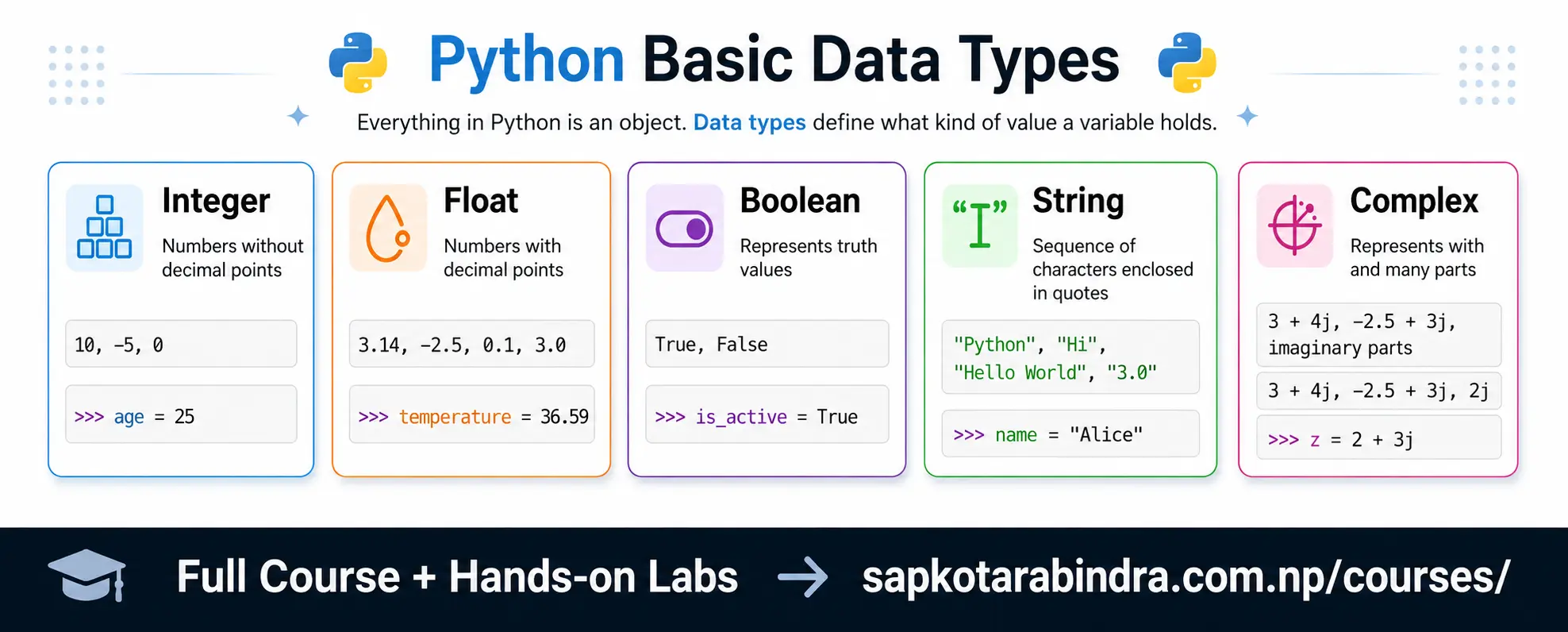
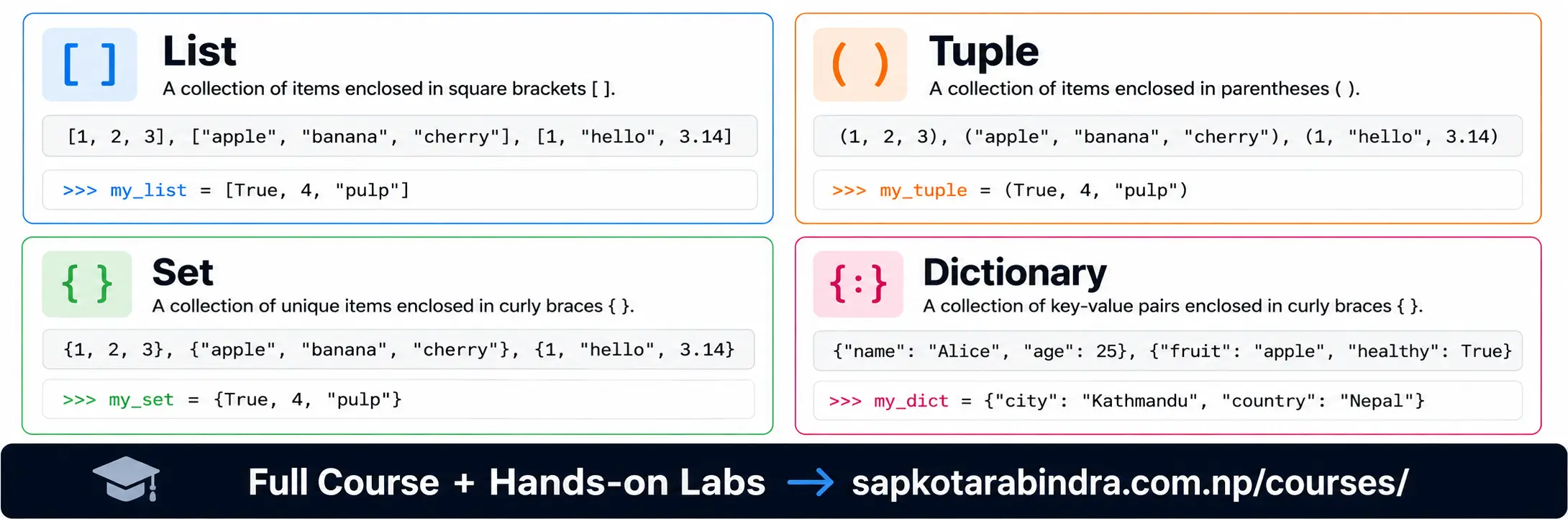
- Python data types are broadly classified into: 🔹 Primitive Data Types — Store a single value (like a number or word) 🔹 Collection Data Types — Store multiple values together (like a list of items)
3.1 Why Do We Need Data Types?
3.2 Definition
3.3 Python Data Types
4. Primitive Data Types
5. Collection Data Types
6. Data Types Affect Operations
- The + operator works in different ways with different Python data types.
👉 If both values are numbers, the + operator adds them together. The result is a number.
👉 If both values are strings, the + operator joins (concatenates) them. The result is a string.
👉 If one value is a string and the other is a number, Python gives an error because these two data types cannot be added directly.
Examples:
print(5 + 3)# ➜ 8 (int)print(3.5 + 2.5)# ➜ 6.0 (float)print("Hi" + " " + "All")# ➜ "Hi All" (str)print("5" + "3")# ➜ "53" (str)print(5 + "3")# TypeError
6.1 Addition ➕

- The - operator can be used only for numbers. If both values are numbers, it returns their difference; otherwise, Python gives an error.
Examples:
print(5 - 3)# ➜ 2 (int)print(3.5 - 2.5)# ➜ 1.0 (float)print("Hello" - "World")# TypeErrorprint(5 - "3")# TypeError
6.2 Subtraction ➖

- The * operator works in different ways with different Python data types.
👉 If both values are numbers, the * operator multiplies them. The result is a number.
👉 If one value is a string and the other is an integer, the string is repeated that many times. The result is a string.
👉 If both values are strings, Python gives an error because two strings cannot be multiplied together.
Examples:
print(5 * 3)# ➜ 15 (int)print(3.5 * 2)# ➜ 7.0 (float)print("Hello" * 3)# ➜ "HelloHelloHello" (str)print("Hello" * "World")# TypeError
6.3 Multiplication ✖️

- The / operator can be used only with numbers. If both values are numbers, it returns their division; otherwise, Python gives an error.
Examples
print(5 / 2)# ➜ 2.5 (float)print(3.5 / 2)# ➜ 1.75 (float)print("Hello" / 2)# TypeErrorprint(5 / "2")# TypeError 📌 Same operator can behave differently depending on the data type. 📌 TypeError means Python doesn't allow that operation between these two data types.
6.4 Division ➗

7. Checking Data Types
- We often need to know the data type of a variable before performing operations because the result depends on the data type.
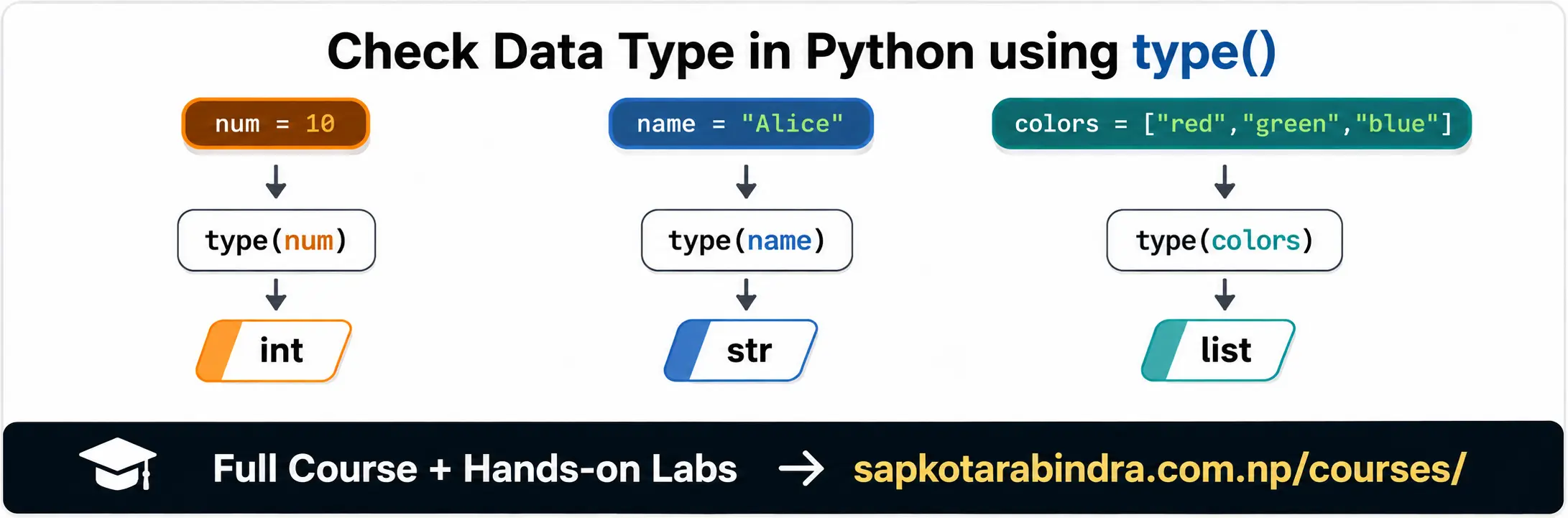
- We can check the data type of a variable using the type() function.
Syntax:
type(variable_name)Example:num = 10print(type(num))# ➜ <class 'int'>name = "Alice"print(type(name))# ➜ <class 'str'>is_active = Trueprint(type(is_active))# ➜ <class 'bool'>colors = ["red", "green", "blue"]print(type(colors))# ➜ <class 'list'>
7.1 Why Check Data Types?
7.2 How to Check Data Types?
8. Type Conversion
- Sometimes we need to convert data from one type to another before performing operations. For example, what if we want to add two numbers, but they are stored as strings?
Example:
num_1 = "10"
num_2 = "5"
print(num_1 + num_2)
# ➜ "105"num_1 = int(num_1) num_2 = int(num_2) print(num_1 + num_2)# ➜ 15 To convert a value, write the new data type's name followed by the value in brackets, like this: target_datatype(value) Some common conversions are: int() ➜ Converts to integer float() ➜ Converts to float str() ➜ Converts to string bool() ➜ Converts to boolean list() ➜ Converts to list tuple() ➜ Converts to tuple set() ➜ Converts to set dict() ➜ Converts to dictionary
8.1 Why Do We Need Type Conversion?

num_str = "100"
print(type(num_str))

num_int = int(num_str)
# ➜ 100print(type(num_int))# ➜ <class 'int'>num_float = float(num_str)# ➜ 100.0print(type(num_float))# ➜ <class 'float'>num_bool = bool(num_str)# ➜ Trueprint(type(num_bool))# ➜ <class 'bool'>new_num = 10.0 print(type(new_num)) new_num_str = str(new_num)# ➜ "10.0"print(type(new_num_str))# ➜ <class 'str'> ⚠️ If conversion is not possible due to invalid data, Python raises a ValueError. For example, int("apple") will raise ValueError because "apple" cannot be converted into an integer.
8.2 Example of Type Conversion
9. Type Conversion Practical Examples
var_1 = "5"
var_2 = "2.5"
print(var_1 + var_2)
# ➜ 52.5var_1_float = float(var_1) var_2_float = float(var_2) print(var_1_float + var_2_float)# ➜ 7.5var_5 = "10" var_6 = 5 print(var_5 * var_6)# ➜ 1010101010print(int(var_5) * var_6)# ➜ 50
9.1 Example 1
9.2 Example 2