
Python Operators
✕1. Operators
- Imagine you are using a calculator. You enter two numbers: 5 and 3. Then you press different buttons: +, -, *, / to add, subtract, multiply and divide. Each button tells the calculator what action to perform. Similarly, in Python, operators are symbols or keywords that tell the computer what operation to perform on values or variables. 🧮 5 + 3 ➜ Add two numbers 🏷️ x = 5 ➜ Store value in a variable ⚖️ age >= 18 ➜ Compare values
1.1 Real World Scenario
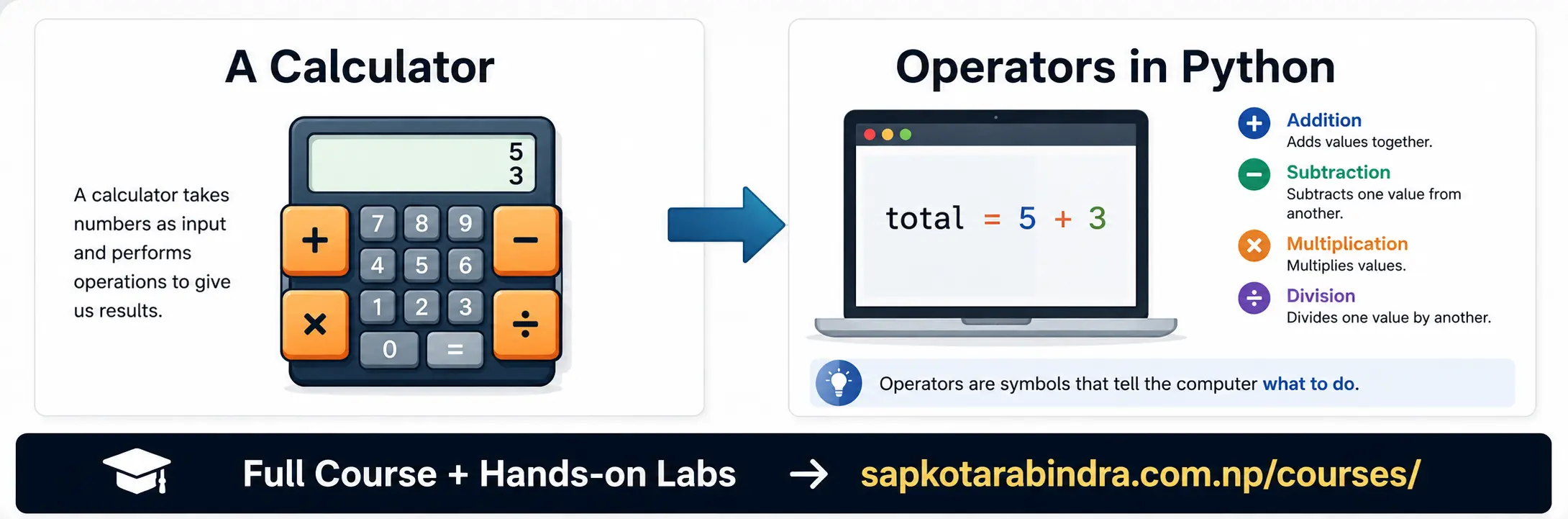
- Operators are special symbols or keywords used to perform operations on variables and values.
num_1 = 5num_2 = 3total = num_1 + num_2print(total)# ➜ 8 Here,+is the operator that adds the values ofnum_1andnum_2.- Python has different types of operators. In this chapter, we will learn: ✅ Arithmetic Operators ✅ Assignment Operators ✅ Comparison Operators ✅ Logical Operators ✅ Membership Operators ✅ Bitwise Operators
1.2 Definition
1.3 Example
1.4 Types of Operators
2. Arithmetic Operators
- Operators that are used to perform mathematical operations on numeric data. They are similar to calculator buttons.
2.1 What are Arithmetic Operators?
2.2 Arithmetic Operators in Python
| Operator | Description | Example |
|---|---|---|
| + | Addition: Calculates sum of two numbers | 5 + 3 ➜ 8 |
| - | Subtraction: Calculates difference of two numbers | 5 - 3 ➜ 2 |
| * | Multiplication: Calculates product of two numbers | 5 * 3 ➜ 15 |
| / | Division: Calculates quotient of two numbers | 5 / 3 ➜ 1.667 |
| // | Floor Division: Calculates whole number part after division | 5 // 3 ➜ 1 |
| % | Modulus: Calculates remainder after division | 5 % 3 ➜ 2 |
| ** | Exponent: Calculates power of a number | 5 ** 3 ➜ 125 |
Arithmetic Operators in Python
num_1 = 10num_2 = 3addition = num_1 + num_2print(addition)# ➜ 13subtraction = num_1 - num_2print(subtraction)# ➜ 7mult = num_1 * num_2print(mult)# ➜ 30division = num_1 / num_2print(division)# ➜ 3.333floor_div = num_1 // num_2print(floor_div)# ➜ 3remainder = num_1 % num_2print(remainder)# ➜ 1power = num_1 ** num_2print(power)# ➜ 1000
2.3 Examples

- Python follows mathematical order of operations:
Brackets → Exponent → Multiplication/Division → Addition/Subtraction
📌 You may know this as BODMAS from school — Python follows the same rule.
Example:
n1 = 10result = n1 + 3 * (4 - 1)print(result)# ➜ 19
2.4 Order of Operations
3. Assignment Operators
- Operators that are used to assign values to variables. They can also perform an operation and assign the result back to the variable. 🏷️ Assignment Operators help us store or update values.
- Assign a value to a variable. Variable on the left side of the operator gets the value on the right side.
Example:
x = 5This means the variablexnow holds the value5. - Assign the same value to multiple variables in a single statement.
Example:
x = y = z = 10This meansx,y, andzall hold the value10. - Assign multiple values to multiple variables in a single statement.
Example:
a, b, c = 1, 2, 3This meansaholds1,bholds2, andcholds3. - Combine an arithmetic operation with assignment. It updates the variable with the result of the operation.
Example:
x += 5is equivalent tox = x + 5.
3.1 What are Assignment Operators?
3.2 Simple Assignment
3.3 Multiple Assignment
3.4 Positional Assignment
3.5 Combined Assignment
Combined Assignment Operators
| Operator | Example | Longer Form |
|---|---|---|
| += | x += 5 | x = x + 5 |
| -= | x -= 5 | x = x - 5 |
| *= | x *= 5 | x = x * 5 |
| /= | x /= 5 | x = x / 5 |
| //= | x //= 5 | x = x // 5 |
| %= | x %= 5 | x = x % 5 |
| **= | x **= 5 | x = x ** 5 |
Combined Assignment Operators
4. Comparison Operators
- Operators that are used to compare two values and return a boolean result (True or False). ⚖️ Comparison Operators help us check relationships between values.
4.1 What are Comparison Operators?
4.2 Python Comparison Operators
| Operator | Description | Example |
|---|---|---|
| == | Equal to: Checks if value of left is exactly same as that of right | 5 == 5 ➜ True |
| != | Not equal to: Checks if value of left is not exactly same as that of right | 5 != 3 ➜ True |
| < | Less than: Checks if value of left is less than value of right | 3 < 5 ➜ True |
| > | Greater than: Checks if value of left is greater than value of right | 5 > 3 ➜ True |
| <= | Less than or equal to: Checks if value of left is less than or equal to value of right | 3 <= 5 ➜ True |
| >= | Greater than or equal to: Checks if value of left is greater than or equal to value of right | 5 >= 3 ➜ True |
Python Comparison Operators
n1 = 5n2 = 3is_same = (n1 == n2)print(is_same)# ➜ Falseis_different = (n1 != n2)print(is_different)# ➜ Trueis_less = (n1 < n2)print(is_less)# ➜ Falseis_more = (n1 > n2)print(is_more)# ➜ Trueis_less_equal = (n1 <= n2)print(is_less_equal)# ➜ Falseis_more_equal = (n1 >= n2)print(is_more_equal)# ➜ True
4.3 Examples

- Imagine you are checking if you are eligible to vote. The minimum age to vote is 18.
age = 20is_eligible = (age >= 18)print(is_eligible)# ➜ True Ifagewas16, thenis_eligiblewould beFalse.
4.4 Real-Life Example
5. Logical Operators
- Operators that are used to combine multiple conditions. For example, a person is eligible to vote only if they meet the minimum age requirement and are a citizen of the country. Logical operators check these conditions and return a Boolean value: True or False. 🧠 Logical Operators help us make decisions using multiple conditions.
- and ➜ Returns True if both conditions are True or ➜ Returns True if at least one condition is True not ➜ Reverses the result
age = 20has_citizenship = Truecan_vote = (age >= 18) and (has_citizenship == True)print(can_vote)# ➜ True Here, both conditions must be True.
5.1 What are Logical Operators?
5.2 Common Logical Operators
5.3 and Operator

Truth Table for Logical AND Operator
| Condition 1 | Condition 2 | Condition 1 and Condition 2 |
|---|---|---|
| True | True | True |
| True | False | False |
| False | True | False |
| False | False | False |
Truth Table for Logical AND Operator
is_saturday = Trueis_holiday = Falsecan_rest = is_saturday or is_holidayprint(can_rest)# ➜ True Here, at least one condition must be True.
5.4 or Operator

Truth Table for Logical OR Operator
| Condition 1 | Condition 2 | Condition 1 or Condition 2 |
|---|---|---|
| True | True | True |
| True | False | True |
| False | True | True |
| False | False | False |
Truth Table for Logical OR Operator
is_logged_in = Falseshould_login = not is_logged_inprint(should_login)# ➜ True Here, the result is reversed.
5.5 not Operator

Truth Table for Logical NOT Operator
| Condition | not Condition |
|---|---|
| True | False |
| False | True |
Truth Table for Logical NOT Operator
6. Membership Operators
- Membership operators are used to check whether a value exists inside a sequence such as: String, List, Tuple, Set, Dictionary and return a boolean result: True or False. 🔍 Membership Operators help us search inside a collection.
- in ➜ Returns True if the value is found in the sequence not in ➜ Returns True if the value is not found in the sequence
my_string = "Hello World"result = "H" in my_stringprint(result)# ➜ Trueresult = "z" not in my_stringprint(result)# ➜ Truemy_list = ["apple", "cat"]result = "apple" in my_listprint(result)# ➜ Trueresult = "cat" not in my_listprint(result)# ➜ False- You have a guest list as:
guests = ["Sita", "Ram", "Hari"]. Check if sita is invited.guests = ["Sita", "Ram", "Hari"]is_invited = "Sita" in guestsprint(is_invited)# ➜ True
6.1 What are Membership Operators?
6.2 Common Membership Operators
6.3 Example with String
6.4 Example with List
Sample Exercise: